
Silk Mobile
Table of Contents (Homepage)
- Overview
- Setting Up
- Getting Started
- How To
- Connecting Devices And Emulators
- Preparing Applications For Testing
- Managing Applications
- Recording Tests
- Working With Test Commands
- Adding Commands To Your Scripts
- Object Commands
- Click
- ClickCoordinate
- ClickIn
- ClickOffset
- Drag
- ElementGetProperty
- ElementGetTableRowsCount
- ElementListPick
- ElementListSelect
- ElementListVisible
- ElementScrollToTableRow
- ElementSendText
- ElementSetProperty
- ElementSwipe
- ElementSwipeWhileNotFound
- GetAllValues
- GetElementCount
- GetElementCountIn
- GetTextIn
- IsElementBlank
- IsElementFound
- IsFoundIn
- LongClick
- RunNativeAPICall
- SendWhileNotFound
- VerifyElementFound
- VerifyElementNotFound
- VerifyIn
- WaitForElement
- WaitForElementToVanish
- GetCoordinateColor
- DragDrop
- Application Commands
- Device Commands
- Web (Hybrid) Specific Commands
- Utilities Commands
- Monitoring Commands
- Configuration Commands
- ExtractLanguageFiles
- SetDefaultClickDownTime
- SetDefaultTimeOut
- SetDefaultWebView
- SetDragStartDelay
- SetInKeyDelay
- SetKeyToKeyDelay
- SetLanguage
- SetLanguagePropertiesFile
- SetShowImageInReport
- SetShowPassImageInReport
- SetShowReport
- SetSpeed
- SetThrowExceptionOnFail
- SetWebAutoScroll
- StartStepsGroup
- StopStepsGroup
- TextFilter
- Miscellaneous Commands
- Controlling Element Identification Rules
- Editing Test Objects
- Executing Test Scripts
- Report Of Executed Test
- Working From Code Environment
- Continuous Integration
- Layout Verification Tests
- Use Device Vitals Monitors
- Troubleshooting
- Terminology
Manage License
There are two types of licenses on Silk Mobile .
Node Locked license (regular purchased license): Seat License which is bound to the machine where it was activated.
Floating license (Server installation instructions): Concurrent License which is installed on a server machine and can be taken by different users on the organization.
Getting a license
Valid Node Locked license should be an alphanumeric string of 36 characters of the form: XXXXXXXX-XXXX-XXXX-XXXX-XXXXXXXXXXXX
Step 1: Access the website: https://licactivation.com/ems/customerLogin.html.
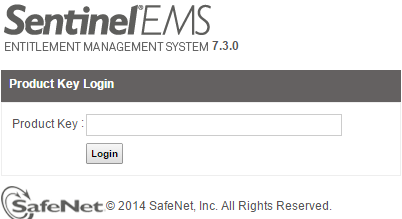
Step 2: In the "Product Key" field, enter a valid license key and click "Login" to get the features details and expiration date for the specified license key.
The following screen will indicate the valid license.
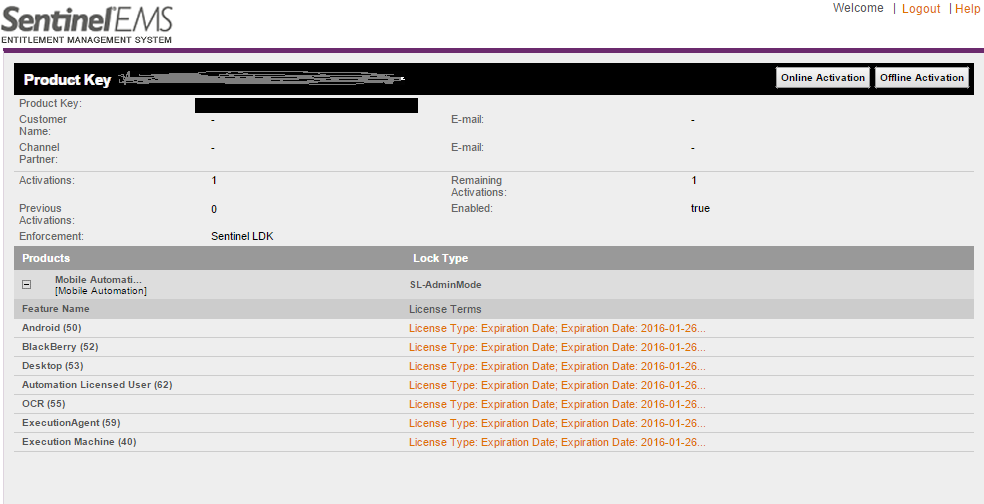
Note: It is recommended to check that all expected features of required license is there and that expiration date is as should.
Important Fields
|
Field |
Description |
|
Activations |
Number of times license can be activated in total |
|
Remaining activations |
Number of times license can still be activated on a new machine |
|
Previous activations |
Number of times license was activated before |
|
Feature Names |
Features on the license (OSs, Add ons etc.) Each feature has an expiration date (can be viewed by clicking the License terms). |
Finding Invalid License
When you click the "Login" button on the main login dialog box, the system might display the following error messages:
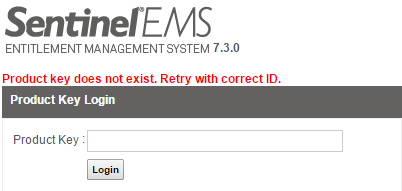
Note: Verify that the specified license key is a valid key. The characters are not missing from the key or the key is not wrongly copied, and so on.
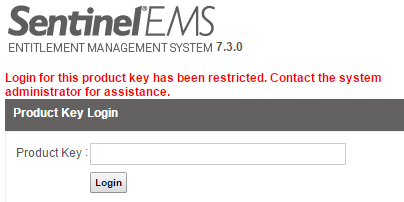
Note: Verify that the specified license key is not disabled by the sales department. For more information, contact support@experitest.com.

Note: The specified license key is already activated and cannot be activated again (without transferring it first).